


DFS Fusion: A Forecourt Controller for Connected Fuel Retail Sites
DFS Fusion® automation server version 3 is an advanced forecourt automation solution from Dover Fueling Solutions® (DFS). DFS Fusion server acts as a central communication and control hub for compatible equipment at fuel retail sites. As a forecourt controller, also called a fuel site controller or fuel retail site controller, DFS Fusion server connects site systems so retailers can manage supported functions and view operational reports centrally.
Before choosing a controller, retailers should check the equipment, interfaces, software versions, and functions required at each site. Contact our team to discuss a proposed configuration and the equipment already installed.
How DFS Fusion V3 Connects Forecourt Equipment
The DFS Fusion server acts as a central communication and control hub. It can connect compatible dispensers, automatic tank gauge (ATG) systems, price signs, point of sale (POS) platforms, and enterprise resource planning (ERP) solutions. Information passes between connected equipment and systems through compatible interfaces and communication protocols.
The server supports equipment from multiple manufacturers, but compatibility depends on the device, software version, and interface. IFSF FDC support also needs to be verified for the required configuration.
DFS Fusion Server Benefits and Features
Centralised control can simplify the management of separate site systems and help with maintenance and troubleshooting. Web based reporting gives visibility across sales, inventory, equipment and site activities. Authorised users can also access supported functions remotely.
DFS Fusion server provides secure remote access to monitor systems and investigates issues. Remote software updates and diagnostic functions can help retailers maintain connected equipment and respond to operational issues. These functions do not establish that a site can operate unattended or support pay at pump; both depend on site equipment and configuration.
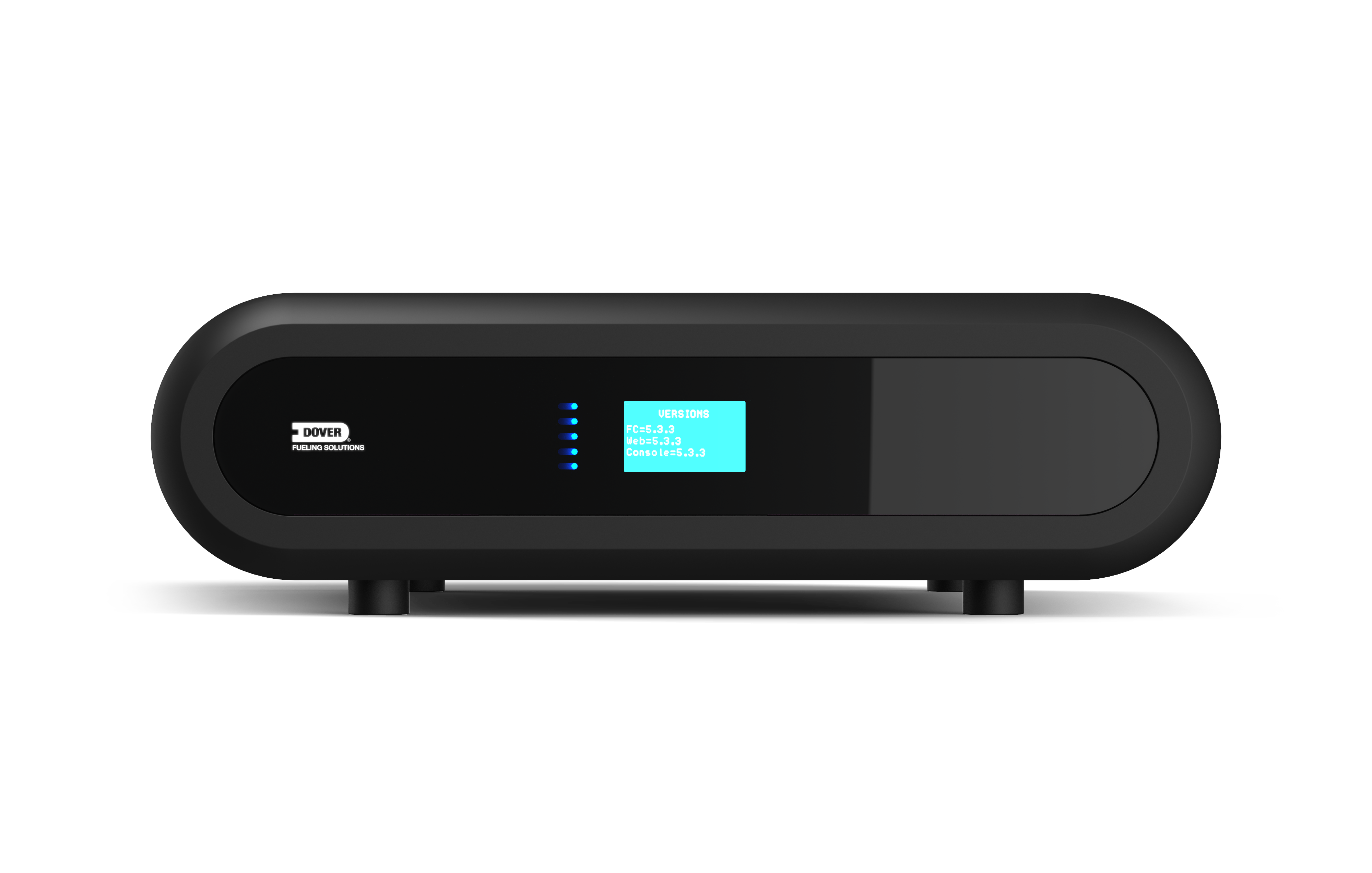
Hardware and Software Options
DFS Fusion server combines confirmed hardware with optional software modules. Options, subject to regional availability, include integrated ATG applications, a fuel console, fleet management and automatic vehicle identification (AVI).
|
Feature |
Confirmed Specification |
|---|---|
|
Processor |
Intel Alder Lake N97 |
|
Memory |
8GB DDR5 |
|
Connectivity |
Multiple connectivity interfaces; confirm the required port types for the configuration |
|
Construction |
Solid state hardware |
|
Diagnostic Display |
Front mounted |
|
Status Indicators |
Five status LEDs |
|
Internal Component |
Super capacitor |
|
Operating Requirements |
Confirm requirements for the proposed configuration |
Compatible ATG equipment can send tank data to DFS Fusion server for management and reporting. Tank levels are measured by suitable probes, sensors and other gauging hardware, not by the server itself. Learn more about Automatic Tank Gauging.
For sites operating across multiple locations, integration with Wayne Fusion Head Office can provide centralised reporting and management. DFS Site Management and DFS Edge have distinct roles within the wider connected site ecosystem. Related connected site technologies are described in our study on ‘What a Connected Forecourt Means for Fuel Retailers’.
Planning a Controller Replacement
Start by checking the installed equipment and the functions required at each site. This helps establish which DFS Fusion server configuration needs to be assessed.
Prepare details of:
- Equipment types, manufacturers, software versions and interfaces
- Payment terminals, reporting needs and required optional modules
- Remote access, unattended operation and pay at pump requirements
Installation and migration depend on existing equipment and the confirmed configuration. A site assessment can help identify compatibility requirements before deployment. DFS Fusion server offers configurable hardware and software options for current infrastructure and future site automation needs.
.png)
Related Products
Want to Read More?
Optimising Forecourt Design and Customer Experience
DFS explores how the DFS Fusion Server could be used to improve your forecourt design and provide a better service for your customers.
FAQs About DFS Fusion Server
What equipment can DFS Fusion server connect?
DFS Fusion server is designed to connect compatible dispensers, ATG systems, price signs, POS platforms and ERP solutions.
It supports equipment from multiple manufacturers using compatible interfaces and protocols. A specific device or software version is not confirmed by category alone, so assess the equipment details and required interface for each site.
Packed with advanced software technology, the DFS Fusion server is one small, but powerfully upgraded solution, that can replace a variety of on-site devices, such as a forecourt controller, an ATG system, petroleum-retail console, interface and distribution boxes, and third-party proprietary controllers.
Does DFS Fusion server include payment terminal support?
Payment terminal support depends on the specified configuration.
The server connects compatible site equipment, but the available information does not establish support for every terminal or arrangement. Retailers should include terminal type and existing payment setup in the site assessment and verify that the proposed configuration supports the required connection.
Can DFS Fusion server manage a site during unattended hours?
Authorised users can use secure remote access to monitor systems, investigate issues and manage supported functions away from the site.
Remote updates and diagnostics are also available. The functions available during unattended hours, and suitability for unattended or pay at pump operation, depend on the configuration and site equipment.
What should retailers include in a controller replacement assessment?
Record the installed equipment, manufacturers, software versions and interfaces, then add reporting needs, payment terminal arrangements and desired optional modules.
Include remote access and unattended operation requirements where relevant. Installation and migration depend on the existing site setup, so the proposed configuration should be checked against those details before deployment.



Copyright © 2026 Dover Fueling Solutions® | A Dover Company | Privacy Policy | Cookies | Terms of Use


Dover Fueling Solutions
Dover Fueling Solutions